


Design & Make Learning Stories: A first step toward architecture — and a better world
Many students start in Tinkercad out of creativity or play, but they stay because they realize design can drive real change. Gray Czegledy’s project shows exactly how.

As a former educator, I’m often asked when the Design and Make mindset “clicks” for a young person. In my experience, it’s the moment a student sees design not just as something to make, but an opportunity to make something better. And sometimes, that realization happens years before high school.
Today, I’m proud to share the story of Gray, a 13-year-old designer from the Bay Area whose Instructables project, Project HomeBound: Off the Streets, Into Hope, embodies what we aim to nurture through the Autodesk Design & Make skills badge for Architecture: empathy-driven design, spatial thinking, sustainable choices, and human-centered architecture.
His project recently earned First Prize in the Autodesk Make It Home Challenge—a testament not only to skill, but to heart.
A car ride that sparked a calling
Project HomeBound began with a car ride and a feeling that he couldn’t shake.
“When I drove past Hunter’s Point," said Gray. "I saw many people living on the streets. That experience really stuck with me, and I felt like I needed to do something.”
That moment became his self-driven design brief.
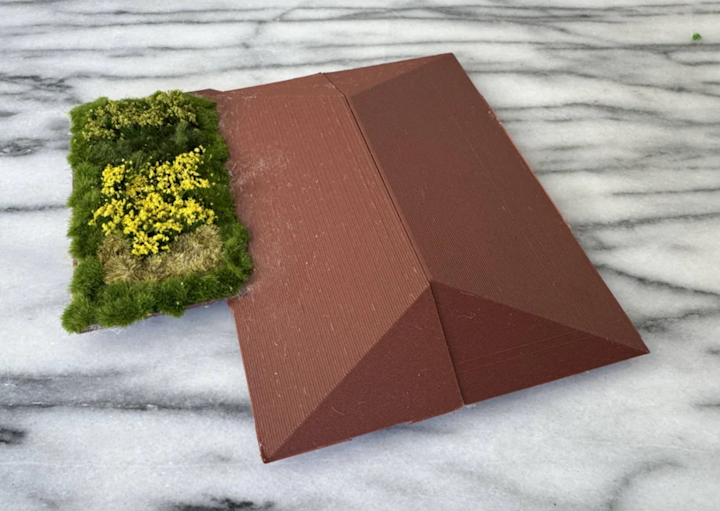
Through this project, Gray communicated his vision for dignified transitional housing in San Francisco’s Bayview-Hunters Point community, an area deeply impacted by homelessness, environmental injustice, and displacement. His design proposes a network of small, sustainable shelters with indoor living space and secure outdoor green areas for healing and connection, featuring ADA-accessible layouts, a green roof, thoughtful natural light, and energy-efficient materials. Rooted in empathy and equity, the design reframes shelter as a pathway to belonging, stability, and hope.
Architecture skills in action
To earn the Design & Make skills badge for Architecture, students demonstrate how they can:
-
sketch to communicate ideas
-
design with scale and accuracy
-
apply architectural principles like balance, space, and flow
-
integrate sustainability
-
design for real human needs and environments
Gray embodied these skills at every stage of his process. He:
-
Sketched layouts to plan space, flow, and accessibility
-
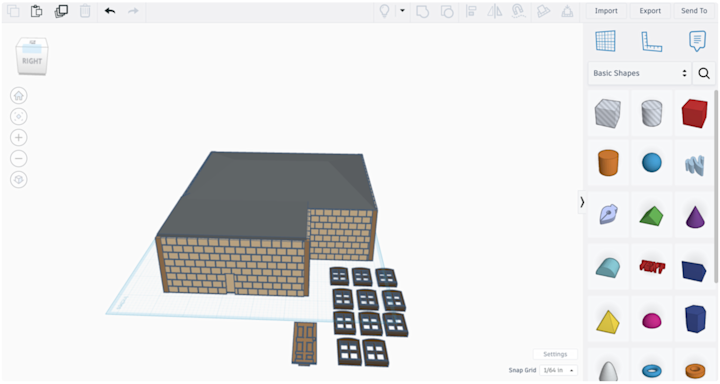
Modeled to scale in Tinkercad for realistic dimensions and code considerations
-
Designed for humans first, prioritizing privacy, safety, and dignity
-
Integrated sustainability through a green roof, natural cooling, and outdoor refuge
-
Responded to real community needs, including environmental injustice in Bayview-Hunters Point
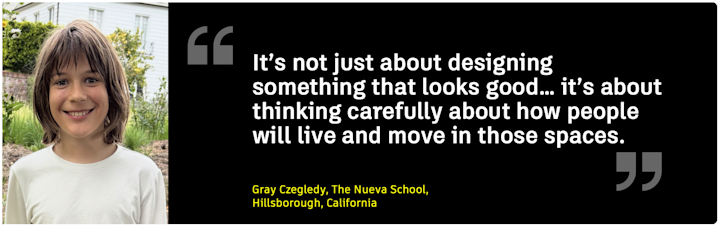
“It’s not just about designing something that looks good," said Gray. "It’s about thinking carefully about how people will actually live and move in those spaces.”
From digital model to physical prototype
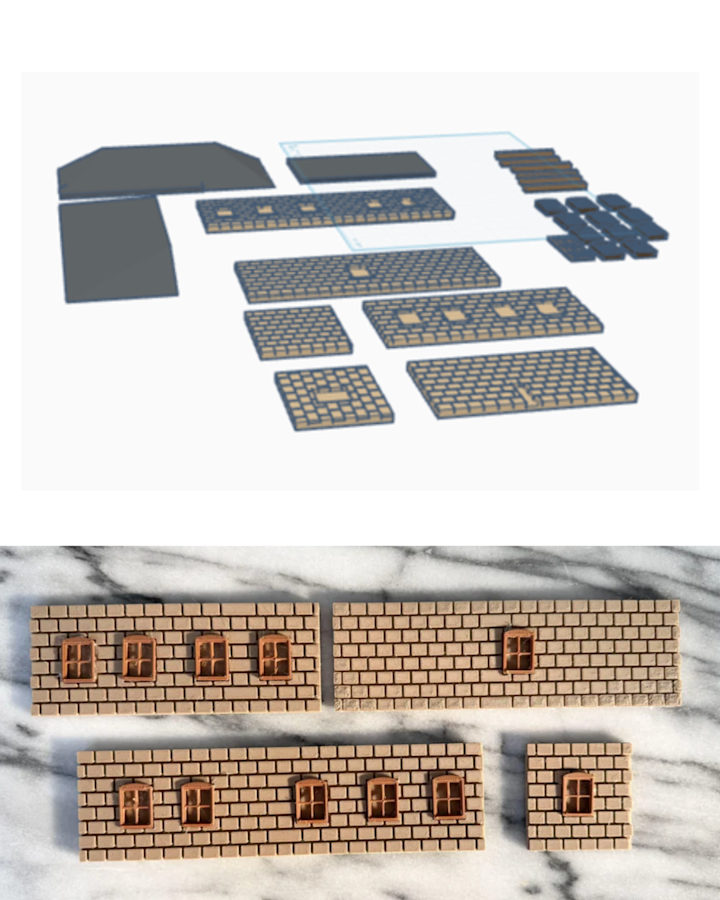
Gray used a design-build workflow similar to what young architects experience in studio: sketching for site analysis and space planning, 3D design in Tinkercad for the core model and architectural details, and 3D printing to bring the concept to life as a physical model. That layered workflow is exactly the type of experience that helps students build confidence for the next step… whether that’s more Tinkercad, or eventually exploring Autodesk Fusion, Revit, or Forma.
“Design can be a tool for empathy—by putting yourself in someone else’s shoes, you can create solutions that actually improve their daily lives," said Gray. "That’s something I want to carry forward in any future projects I work on.”
If built tomorrow—a different kind of shelter
When I asked Gray what difference his project could make if built, his answer wasn’t technical. It was human: “The goal isn’t just to provide shelter, but also to create a space where people can feel dignity, hope, and support.”
And, in doing so, he designed transitional housing where healing isn’t incidental—it’s architectural.

For teachers: Let Gray’s story be your launchpad
If Gray’s project sparked ideas for your classroom, here are three practical next steps:
Explore the Design & Make skills badge for Architecture with your students
What is Gray saying architects should care about? Use Gray’s story as an example of how architecture begins with empathy. How is that different from how we normally think of architecture? What do architects actually do?
Encourage answers beyond “design buildings.”
Students can start earning the badge by sketching, designing to scale, and planning human-centered spaces in Tinkercad. You might first assign students to look for evidence of these skills in Gray's design, and then ask: Which of these skills do you want to grow in most — and why?
Try a mini-challenge inspired by Project HomeBound
Next, you might ask: Why do you think empathy was Gray’s first design tool—not Tinkercad? And then launch them into designing by using a prompt like this:
Redesign a space in your community to make it more welcoming, inclusive, or healing.
You might even constrain it to a one-room “space for dignity” inspired by Gray.
Requirements:
-
Include at least two Architecture badge criteria
-
Add a note in the Tinkercad design: “Who is this space for and how will it help them?”
Show students where they can go next
Many winners of Autodesk’s Make It Home challenge—now designing in Fusion, Revit, and Forma—started where Gray did: in Tinkercad.
See where young designers can go from Tinkercad
If you’re curious how early Design and Make mindsets evolve over time, explore the Student + Mentor Spotlight Series, featuring high schoolers and college students who are now using professional tools to design for sustainability, resilience, and community impact.
Because when a student learns that design can help someone—not someday, but now—they don’t just grow as makers.
They grow as citizens.
And I can’t wait to see what Gray builds next.